
1YouTube's Multi-Language Caption System
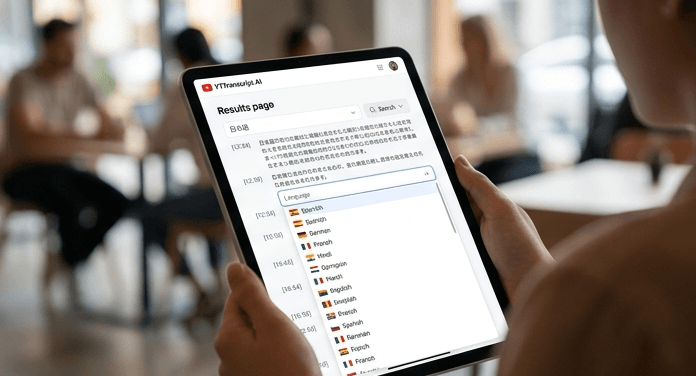
YouTube auto-generates captions in dozens of languages using language-specific speech recognition models. Many videos also have manually uploaded captions or community-contributed translations in additional languages. This means a single video might have caption tracks in five, ten, or even twenty languages.
When you extract a transcript, our tool detects all available languages and lets you choose which one to extract. The default is auto-detect, which selects the primary language of the video. You can switch to any other available language with a single click.
2Extracting Transcripts in Non-English Languages
The process is identical regardless of language. Paste the YouTube URL, extract the transcript, and select your preferred language from the available tracks. We support right-to-left languages (Arabic, Hebrew, Urdu), CJK languages (Chinese, Japanese, Korean), Indic languages (Hindi, Tamil, Bengali), and every other language YouTube offers captions in.
All features work across languages: search, copy, export (TXT, SRT, VTT), and AI actions. You can search a Japanese transcript for specific kanji, export a Spanish transcript as SRT, or generate an AI summary from a Hindi video.
3AI Translation for Unavailable Languages
What if the video has captions in English but you need the text in Portuguese? Our AI translation feature converts any transcript into any target language. Extract the transcript in its original language, then use the Translation AI action to get the full text in your preferred language.
This is not machine translation of individual words — it is contextual AI translation that preserves meaning, idioms, and sentence structure. The output reads naturally in the target language, not like a word-by-word conversion.
This feature is especially valuable for international research (accessing foreign-language source material), multilingual content creation (adapting videos for new markets), and language learning (reading along in both the original and translated languages).
Try It Yourself
Paste any YouTube URL below and get the full transcript with timestamps in seconds. Free, no sign-up required.