
1Why Would You Need a YouTube Transcript?
Whether you are a student taking notes from an online lecture, a content marketer repurposing video into a blog post, or someone who simply prefers reading over watching, getting a YouTube transcript saves time and opens up new ways to use video content. A transcript turns spoken words into searchable, copyable, and exportable text — complete with timestamps so you can always trace any line back to the exact moment in the video.
Transcripts are also essential for accessibility. Deaf and hard-of-hearing viewers rely on text to access video content, and many organizations are legally required to provide text alternatives under ADA and WCAG guidelines.
2Method 1: YouTube's Built-In Transcript Viewer
YouTube has a native transcript feature, but it is surprisingly hidden. Here is how to find it:
1. Open the video on youtube.com (desktop only — this does not work on the mobile app).
2. Click the three-dot menu (⋯) below the video title.
3. Select "Show transcript."
4. A panel appears on the right side with timestamped text.
The drawback? You cannot search within the transcript, export it as a file, or copy it cleanly — selecting the text also grabs the timestamps, which makes pasting messy. For anything beyond casual reading, you need a better tool.
3Method 2: Use a Free Online Transcript Tool (Recommended)
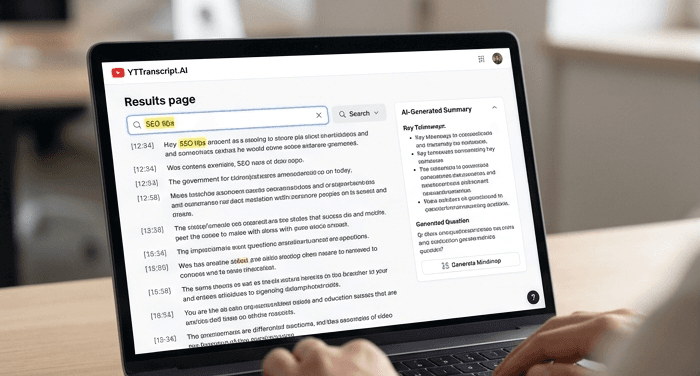
The fastest and most practical approach is to use a dedicated transcript extraction tool. Paste the YouTube URL into the box below and you will have the full transcript — with clickable timestamps, full-text search, one-click copy, and export in TXT, SRT, or VTT format — in under three seconds.
Unlike YouTube's built-in viewer, a dedicated tool lets you search for specific words or phrases, export in multiple formats, and use AI features to summarize the video, generate study notes, or create a blog article from the content. It works on desktop and mobile, with any public YouTube video in over 100 languages.
Try It Yourself
Paste any YouTube URL below and get the full transcript with timestamps in seconds. Free, no sign-up required.
4Method 3: Browser Extensions
Several Chrome extensions add transcript features to YouTube. They overlay a transcript panel on the video page and typically offer copy-to-clipboard functionality. The downsides: extensions require installation, may collect browsing data, and often stop working when YouTube updates its interface. They also lack AI features, export options, and bulk extraction capabilities.
For occasional use they are fine, but for anything regular — studying, content creation, research — a web-based tool is more reliable and feature-rich.
5Which Method Should You Choose?
If you just need to glance at what someone said at a specific timestamp, YouTube's built-in viewer works. For everything else — copying clean text, exporting subtitle files, searching through content, using AI summaries, or processing multiple videos — use a dedicated transcript tool. It is free, requires no installation, and works in any browser.
The best part: you do not need to create an account. Paste a URL, extract the transcript, and start working with the text immediately.